 Features Fixed Asset Tracking System is a fully customized software application designed to track and monitor item movement from one account to another and from one location to another. It has its own inventory from the point of item registration in the Stock Card and Receiving (RR) coming from the external Supplier. Internal or in-house item movement involves Issuance of Item, Item Return, Transfer and Wastage. All of these modules were incorporated to assure high quality of tracking and monitoring of item, not only for the inventory purposes but also for item conditions. The system uses document reference to control its transactions. These reference numbers are system generated every time a new transaction is committed a new reference is automatically assigned. Nevertheless, a manual reference entry is also available to accommodate other reference that might be needed. The system also uses POSTING for transaction saving. This is useful for pending transactions that needs to be saved but is yet to be completed. In such case, the system uses the SAVE function for recording transactions but does not compute or update the Stock Card. This will only be computed such as quantity or be updated once the transaction is POSTED.
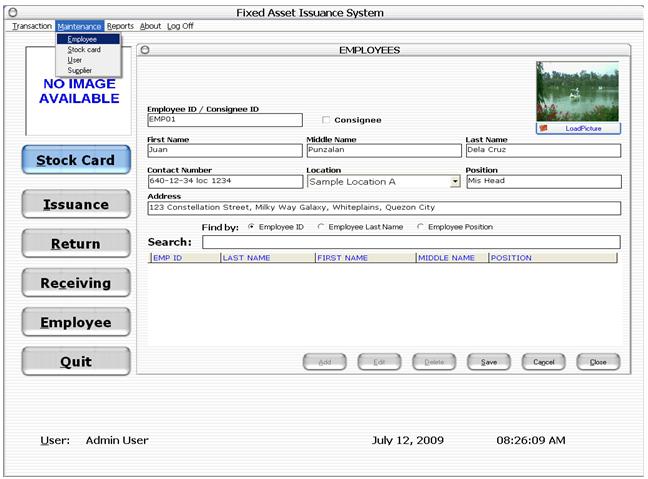
| Modular Data Entry Supplier – this is where all suppliers and its information are entered. It tells you what items are been bought. Employee – this is where all person who will have the immediate control or custody of the items issued. Stock Card – this is the central data container used all throughout the system and this is where all item information stored. Items NOT entered in the stock card will not be recognized by the system. This is also the first step where the item information needs to be entered or encoded. New items go through the Asset Number Generator where system generates its Asset number and barcode based on the given Funding/Project, Cost Center and Item Description. Funding/Project, Cost Center and Item Description are very important that all item should have its own before it can be entered in the stock card.Transaction Data
Entry Receiving – this is where new items from the supplier are
entered. Other information such as warranty, item cost and even document
reference such as Invoice or Delivery numbers are also entered. The items code
such as Asset number came from the Stock Card. Issuance – this is where employee, item and location
information are entered when issued. This is where a Memorandum Receipt for the
employee is generated. Issued items reflect its quantity balance at the Stock
Card immediately after Posting. The Save
function on the other hand keeps the information temporarily and does not
update the Stock Card quantity balance. Return – this is where items
returned are entered. Same as Issuance, save
function keeps the information temporarily while Posting updates the Stock Card. Transfer – this is where items transferred from one
location to another are entered. This can be used instead of Return in cases
where an employee changes location such as department or branch but items
remains with the employee (MR). Save and Post functions are also available. Wastage – this is where defective,
damage and non-usable items are entered. This is important to qualify such
items in the inventory to be wastage. Such items are then excluded. System
Audit handles the reporting for wastage history.
|
